

Many businesses know they need a stronger online presence, but they often start with the wrong question. Instead of asking, “How much will a website cost?” the better question is, “What exactly do we need this digital product to do?”
For some companies, a well-built website is more than enough. It can establish credibility, explain services, attract search traffic, and generate qualified leads. For others, a website solves only part of the problem. If your team is managing bookings manually, chasing approvals in email, or relying on spreadsheets to keep operations moving, you may need something more powerful: a custom web app.
The difference matters because choosing the wrong starting point usually leads to wasted budget. Some businesses overbuild too early and pay for functionality they do not yet need. Others underbuild, launch a basic site, and quickly discover that the real bottleneck is not marketing — it is workflow, operations, or customer self-service.
The goal is not to choose the more impressive option. The goal is to choose the right tool for the stage your business is in today, while leaving room to grow tomorrow.
What a Website Is Best At: Visibility, Trust, and Lead Generation
A website is usually the right choice when your main goal is to help people find your business, understand what you offer, and take a clear next step. That next step might be filling out a contact form, booking a consultation, calling your office, or requesting a quote.
A strong business website is built for communication and conversion. It tells your story, presents your services clearly, shows proof that you are trustworthy, and gives visitors confidence to reach out. It is ideal for companies that need a digital presence that works as a marketing and sales asset.
Websites are especially effective when your customer journey is relatively straightforward. A visitor lands on your site, learns about your business, reviews your work or testimonials, and then contacts you. In those cases, you do not need a complex platform. You need clear messaging, smart structure, strong performance, mobile-friendly design, and a simple path to action.
That is why many service businesses, consultants, agencies, local companies, and B2B firms can get excellent results from a focused website without jumping straight into custom software.
What a Custom Web App Is Best At: Workflows, Accounts, and Automation
A custom web app becomes the better option when your business needs more than information pages and contact forms. It is built not just to present your business, but to help your business operate.
A web app is typically the right solution when users need to log in, view personalized data, complete multi-step processes, interact with internal systems, or perform actions that go beyond browsing content. This could include client dashboards, internal portals, custom booking logic, order tracking, approval workflows, role-based access, or integrations between departments and systems.
In other words, a website helps people learn about your business. A web app helps people do something inside your business.
That distinction is important. If your team is spending hours on repetitive manual tasks, or if customers expect self-service tools that your current site cannot provide, the issue is no longer just visibility. It is functionality. At that point, a custom web app can reduce friction, improve accuracy, save time, and create a much better user experience for both customers and staff.
5 Signs You Only Need a Website Right Now
The first sign is that your main goal is marketing. If you need to improve search visibility, explain your services, build trust, and generate inquiries, a website is still the smartest place to start.
The second sign is that your sales process is human-led. If leads usually speak to someone on your team before buying, you may not need account systems, custom dashboards, or advanced automation yet. A good website that captures interest and supports that conversation may be enough.
The third sign is that your internal workflow still changes often. If your process is not yet stable, building a custom app too early can lock you into the wrong structure. In that stage, it is usually better to keep the system simple and learn what needs to be standardized first.
The fourth sign is that your budget is better spent on clarity and traction than on engineering complexity. Many businesses benefit more from strong messaging, better UX, mobile optimization, and conversion improvements than from custom features no one is ready to use.
The fifth sign is that off-the-shelf tools already cover your operational needs. If scheduling, forms, CRM, invoicing, or customer communication can be handled well with existing platforms, a website can act as the front-end layer while those tools do the heavy lifting behind the scenes.
5 Signs It’s Time to Invest in a Custom Web App
One major sign is that your team is doing the same manual work again and again. If staff members are copying data between tools, managing approvals through email, or relying on spreadsheets to keep operations moving, that is often a signal that your business has outgrown basic website functionality.
Another sign is that users need accounts or personalized experiences. If customers, employees, vendors, or partners need secure access to their own information, a standard website will only take you so far.
A third sign is that your process depends on complex logic. Maybe pricing changes based on variables, bookings require layered rules, or different user roles need different permissions and actions. These needs usually point toward custom application development rather than a traditional site build.
The fourth sign is that disconnected tools are slowing the business down. When your systems do not communicate well, teams waste time, errors increase, and reporting becomes unreliable. A custom web app can create a more unified workflow and reduce operational drag.
The fifth sign is scale. What worked for 20 clients or 2 employees may break down at 200 clients or 20 employees. When growth creates friction, delays, and avoidable mistakes, a custom web app often becomes a strategic investment rather than a technical luxury.
How to Choose the Right Starting Point Without Overspending
If your business needs a professional online presence but does not require custom workflows, user dashboards, or advanced internal logic, a website builder is often the most practical place to start. For many small businesses, service companies, consultants, and local brands, the real priority is to launch a clean, credible, easy-to-manage website without turning the project into a full software build. Website builders make that possible by combining templates, hosting, editing tools, and core business features in one platform.
A builder-first approach usually makes sense when your goal is to publish service pages, showcase your work, collect leads, add contact forms, and make updates without depending on developers for every change. It also helps control cost early on: instead of investing immediately in custom design and engineering, you can validate messaging, structure, and conversions first. If the business later outgrows the builder because of automation needs, account-based functionality, or complex integrations, that is the point where custom development becomes easier to justify. This phased approach is often the smartest way to avoid overspending at the beginning.
Two builders worth considering for business websites are Wix and uKit.
Wix for Flexible, Growth-Oriented Business Websites
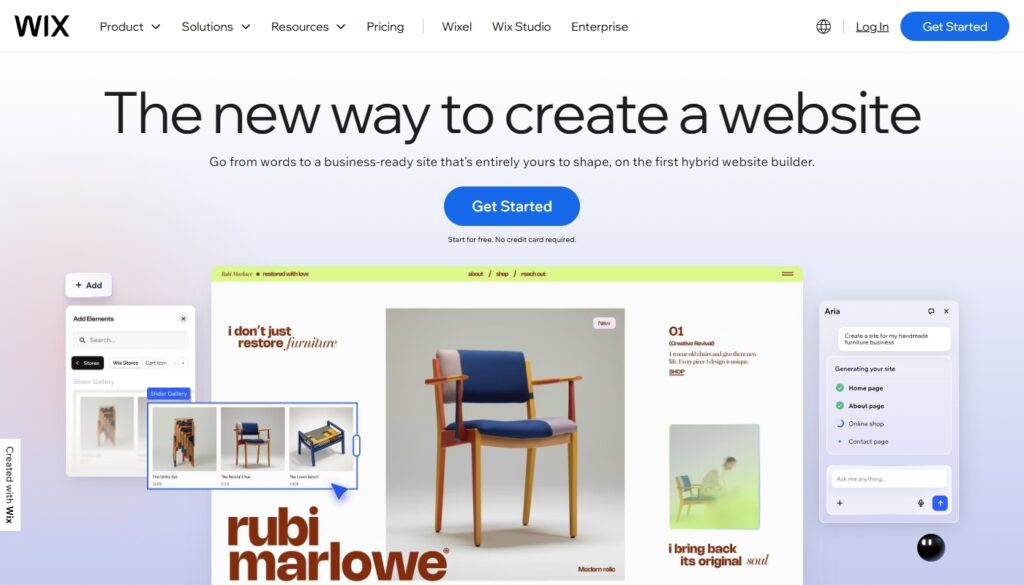
Wix is a broad all-in-one website platform aimed at businesses that want flexibility, polished design, and room to grow. It offers templates, hosting, built-in business tools, and AI-assisted site creation, including an AI website builder that can generate a business-ready site from a short prompt or guided setup. Wix also positions itself as a platform for building not just brochure sites, but also stores, booking-based sites, membership areas, and more advanced business websites.
Its main strength is range. A business can start with a relatively simple site and still have access to stronger design control, eCommerce options, booking tools, SEO support, and marketing features inside the same ecosystem. Wix also highlights built-in AI tools for text, site generation, and other content workflows, which can speed up launch for teams that do not want to start from a blank page.
Wix is usually the better fit when the business wants a more ambitious site, expects to expand features over time, or cares a lot about design flexibility and having more tools in one platform. It is a good option when you want a builder, but not one that feels too limited too early.
uKit for Simple and Fast Business Websites
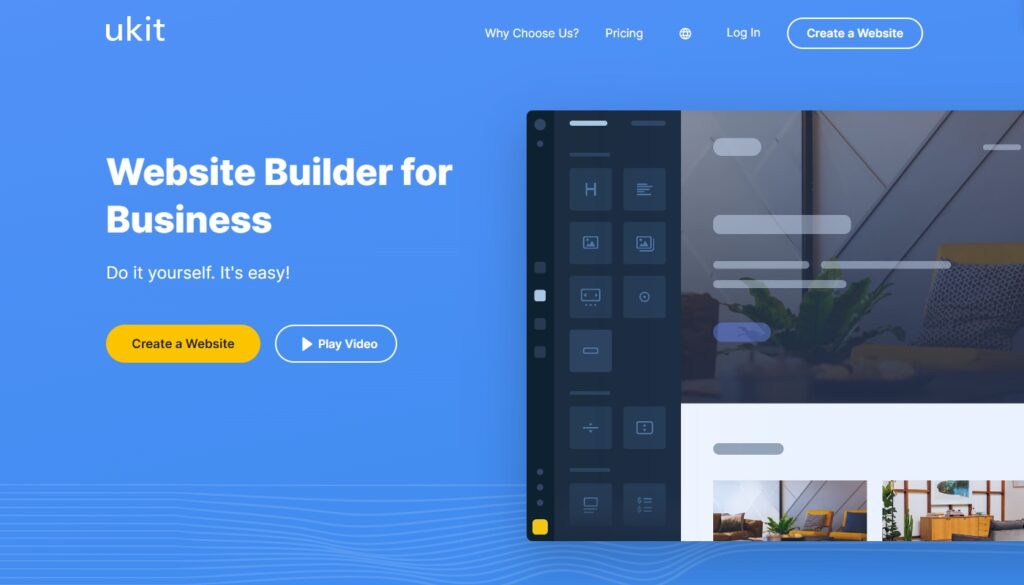
uKit is a business-focused website builder designed to be simple, fast, and approachable for non-technical users. Its positioning is very direct: it is meant for small business owners who want to create a site themselves without coding. The platform emphasizes ready-made industry designs, drag-and-drop editing, built-in hosting, and standard business elements like forms, widgets, callback buttons, and basic store functionality.
Its biggest advantage is simplicity. uKit is not trying to be the most expansive platform on the market. Instead, it focuses on helping businesses launch standard websites such as promo pages, service websites, catalogs, landing pages, and small online stores with minimal setup effort. It also highlights adaptive templates and a beginner-friendly editor, which makes it especially approachable for owners who want to manage the site on their own.
uKit is usually the better fit when the goal is a straightforward business website without much technical complexity. If you need a compact service site, want a faster learning curve, and do not need a large ecosystem of advanced features from day one, uKit can be a very practical starting point.